Connect
Connect your everyday services and bring work information together.
PERSONAL RAG × WORKSPACE
Beta in development
Bring documents, email, calendars and conversations into one workspace. Ask AI using your own knowledge, then edit documents and get work done. Raggy makes a personal RAG workspace easier to build.
Ask about the beta
Bring information from Google Drive, Gmail, Google Calendar, Slack and Discord into Raggy. Use that knowledge with AI (CLI) to reduce research and organizing work, and refine proposals, analysis reports and action plans.
Knowledge & context
AI (CLI)Organize · Analyze · CreateRefine your output
ProposalsAnalysis reportsAction plansConnected services and AI search coverage differ. Current RAG sources include documents, PDFs and Slack. Gmail indexing is not yet supported. Each integration requires authorization and setup.
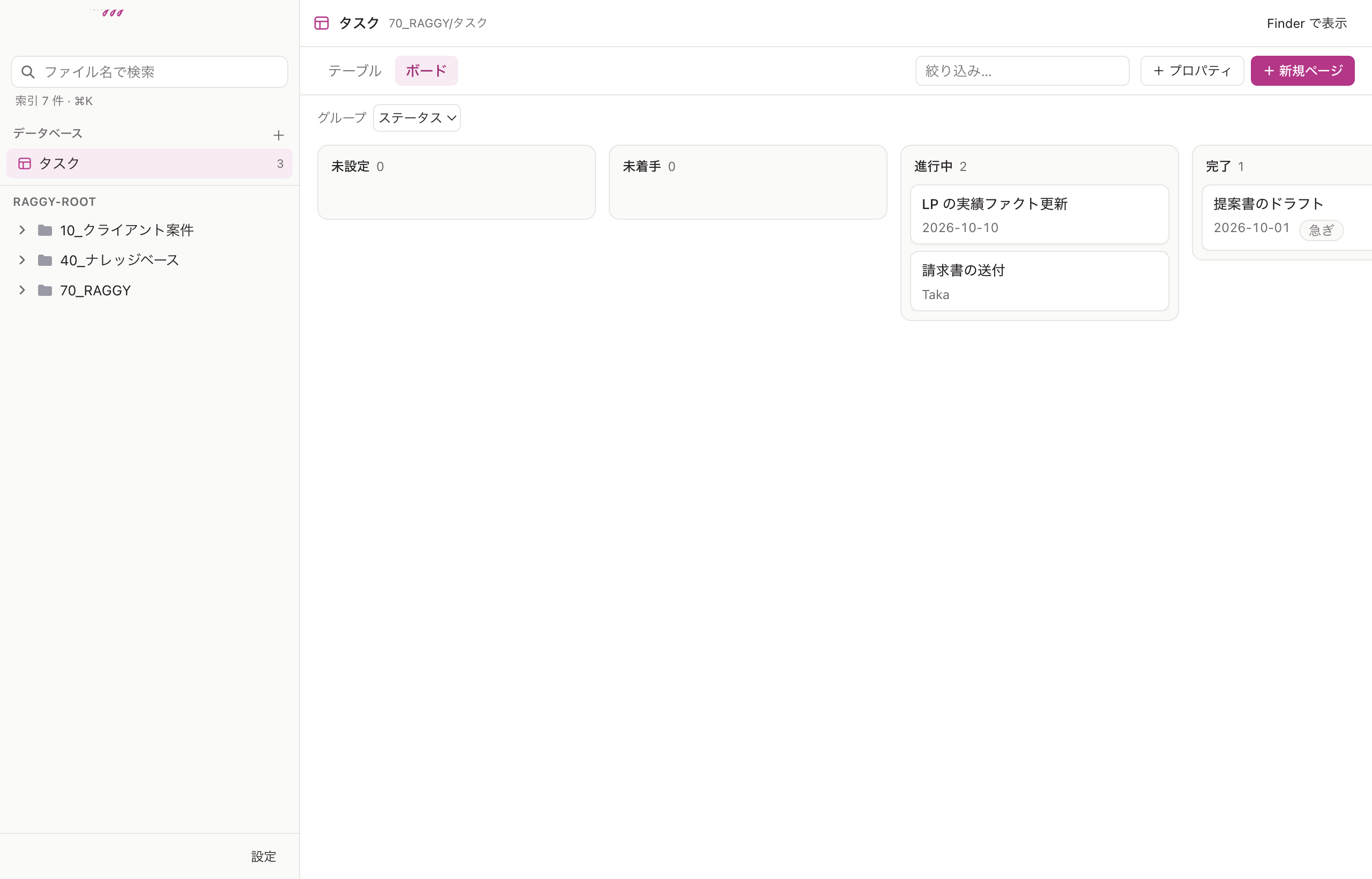
Tasks, schedules, progress and communication — all in one place. Raggy is a tool for building your own AI workspace. Go beyond receiving search results: work with documents, notes and tasks in the same workspace.
Connect your everyday services and bring work information together.
Ask AI with your own documents and conversations as context. Put personal RAG to work.
Edit documents and notes, draft replies and manage tasks. Turn knowledge into your next piece of work.
Use your information with AI to prepare summaries, draft replies and plan tasks. Refine the methods that work into skills you can use again.
AI × RAGBring the refined method to your next task.
Illustrative workflow, not an actual app screen. Skill saving and reuse include concepts in development. This does not imply unsupervised sending, execution or continuous model training.
Edit Google documents and Markdown. Manage tasks in boards or tables. Move from gathering information to creating the work itself.
For administrators
Administrators can manage members’ workspaces. From preparing their workspace to following progress, Raggy supports the people running the team, too.
Admin features require configuration and Drive access restrictions. They do not give administrators unrestricted access to personal information.
Your tasks and notes stay as files in Drive. Google documents use Google’s own editing interface.
AI and integrations send information to connected services. Not all processing happens on your device.
Raggy is currently in beta development. Beta access is provided individually, only to people who contact us.
Beta in development
Contact us to try the Mac app or mobile PWA. We will explain supported environments, available features, access and terms individually. Features and specifications may change during development.
Raggy is currently in beta development. Beta access is provided individually, only to people who contact us. Contact us to try the Mac app or mobile PWA. We will explain supported environments, available features, access and terms individually. Features and specifications may change during development.
This website supports 10 locales. The screenshots show the Japanese interface. This does not guarantee equivalent language support in the app.
The source documents and tasks are stored in Drive, with indexes and caches on your device. AI and integrations send information to connected services.
Pricing and terms will be explained individually when you contact us. Pricing for the general release has not been finalized.